While Live Chat with a human agent is only available during regular Support hours and in English, there are several support issues that can be addressed by chatting with Second Life's support bot, Boxy 5000. Boxy 5000 can answer basic questions, help restart regions, and provide options for many support issues.
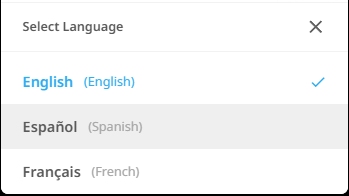
Boxy 5000 is available to chat in English, French and Spanish.
| Please note that this preferred language setting only affects interactions with our automated chat bot, Boxy 5000. Second Life Support agents are available for English Live Chat only. We apologize for the inconvenience! |
How to change your preferred language for Boxy chat
- First, visit Live Chat and click the chat icon on the bottom right to open a chat with Boxy 5000

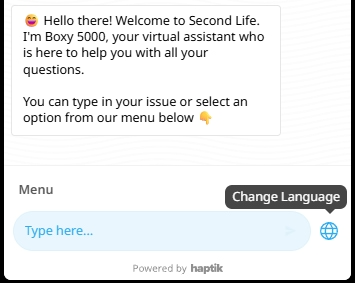
- Next, click the globe icon to the right of the chat box
- Last, select your preferred language: English, Spanish (Español), or French (Français)